ANTONIO

Case study:Dashboard KPI - Microsip

UX/UI Designer2 months2025

I designed a key performance indicator dashboard for SMEs, consolidating fragmented information into 7 visual metrics. Users now get answers in under 2 minutes instead of spending 15-20 minutes navigating multiple modules.
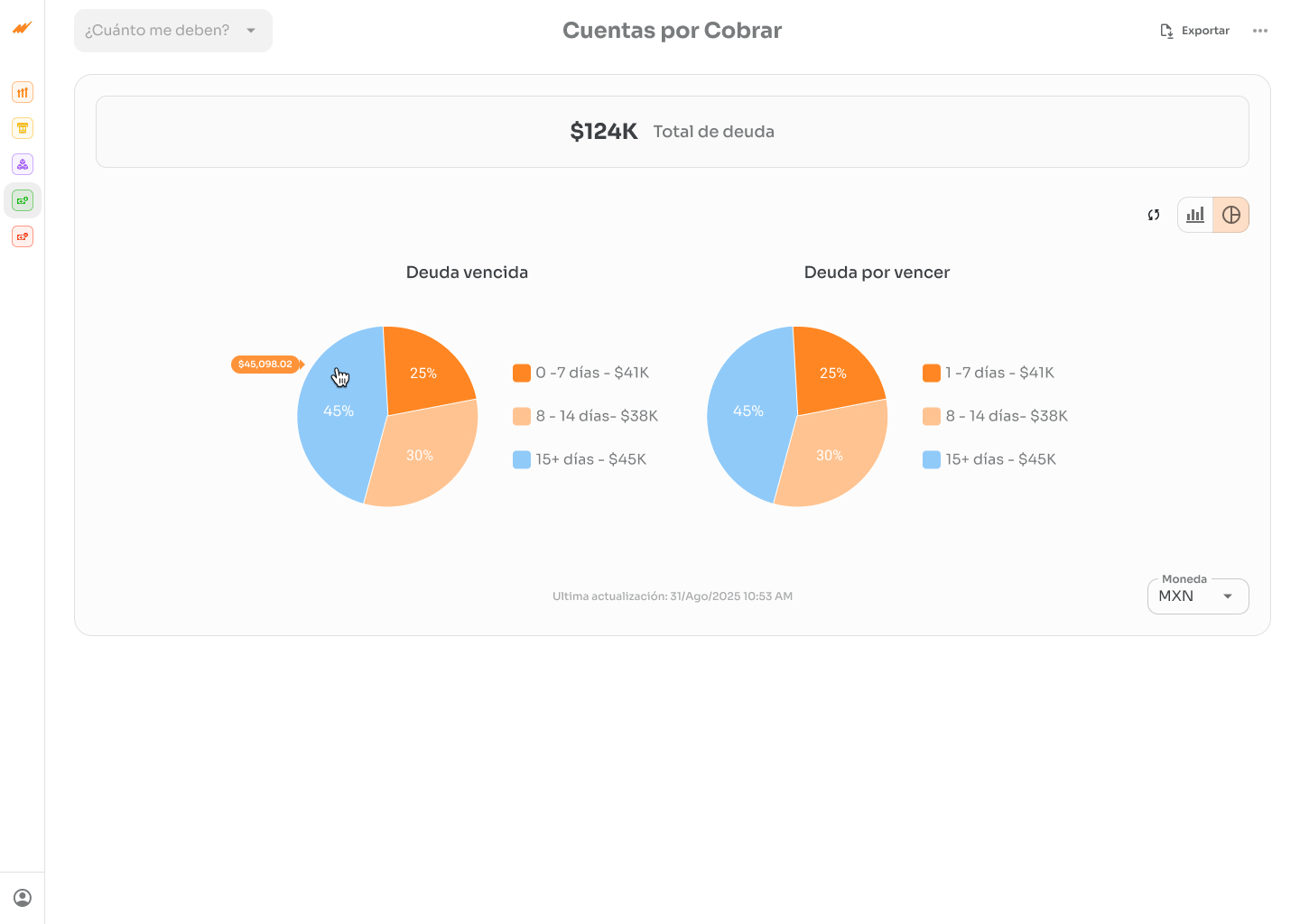
KPI dashboard - accounts receivable view
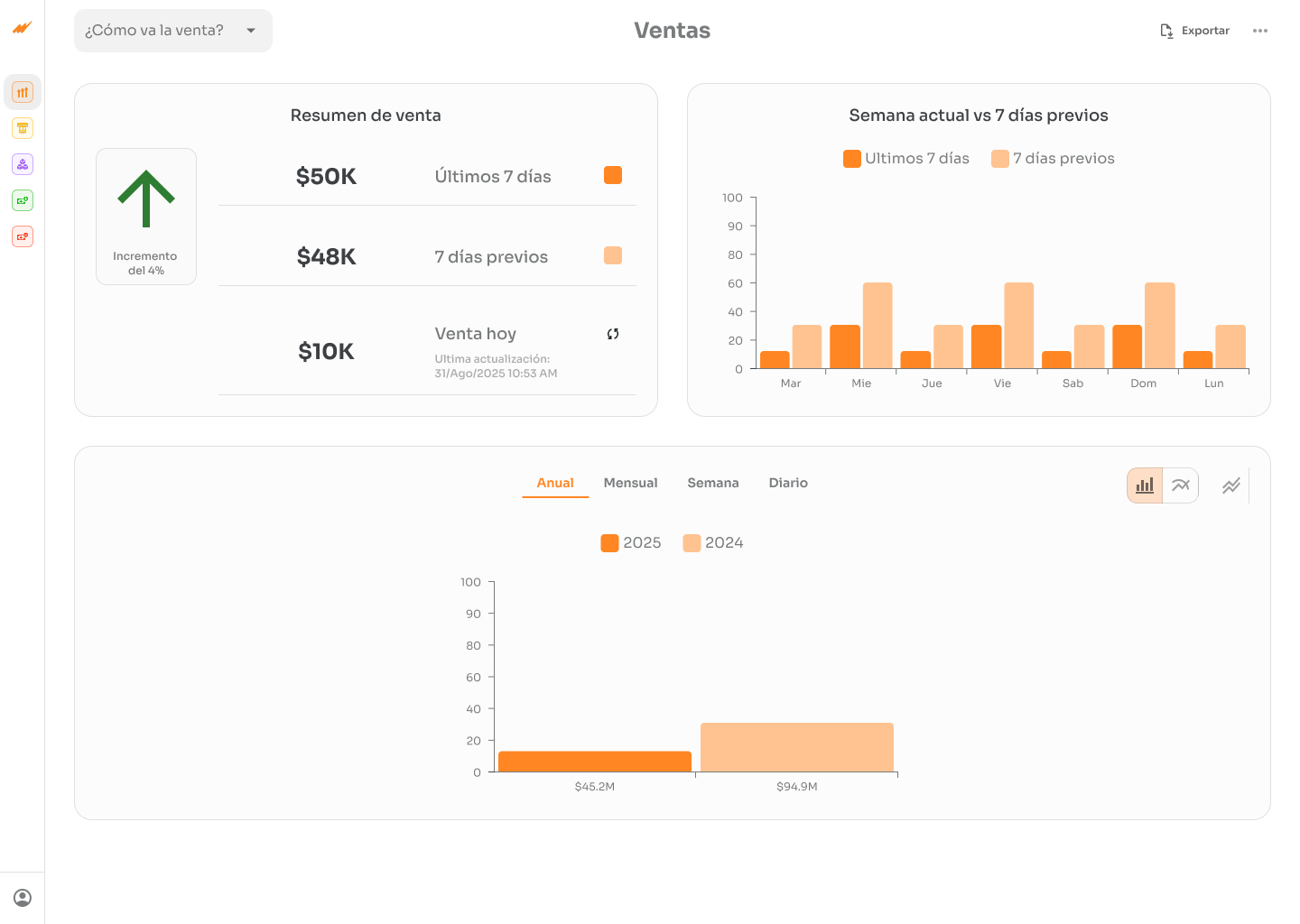
KPI dashboard - sales overview
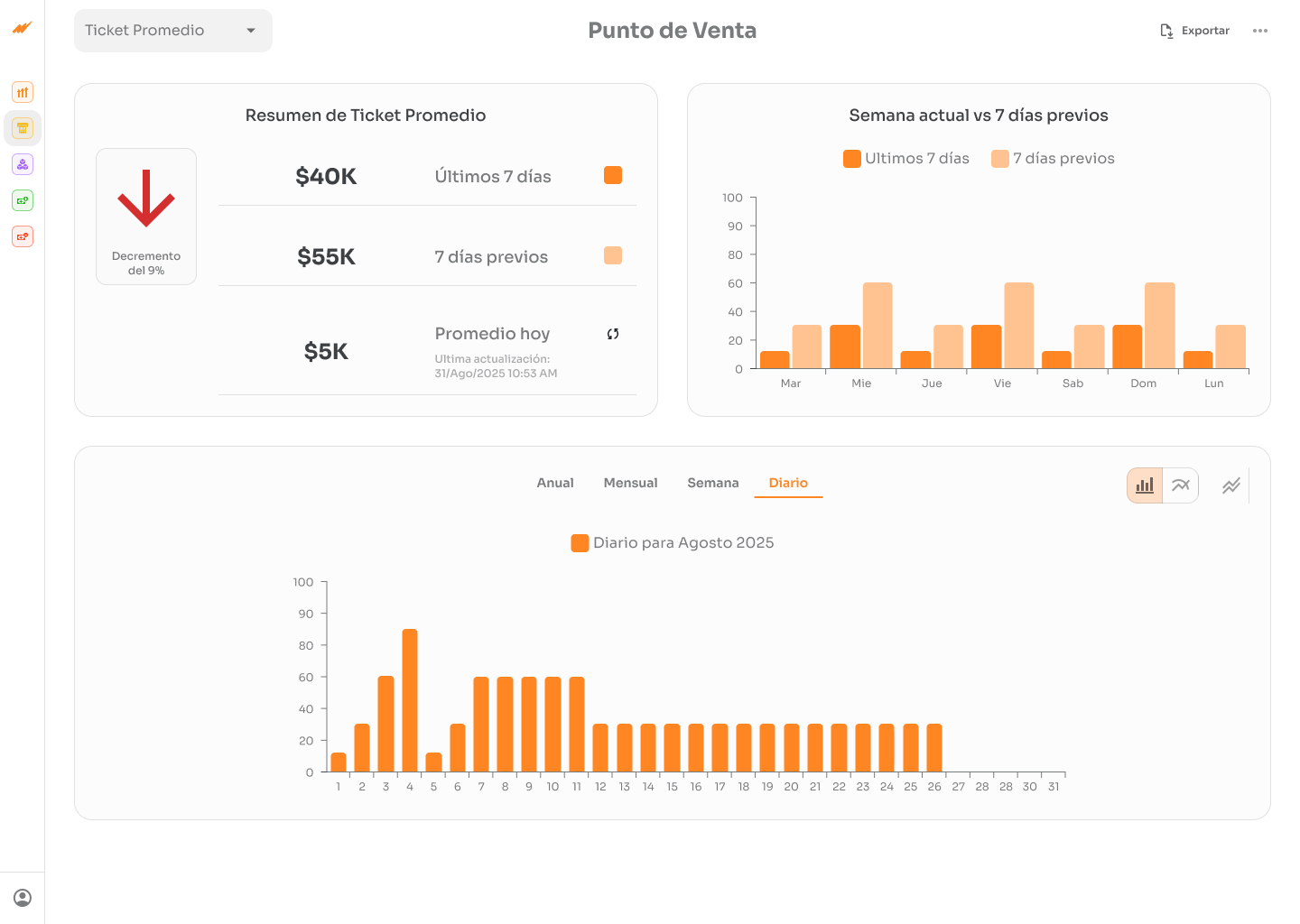
KPI dashboard - point of sale view

Problem

Context: SME owners in Mexico (Microsip) needed to monitor business health, but had to navigate 5+ separate modules.

Friction:

  • 15-20 minutes to get a clear picture
  • Fragmented information with no historical context
  • Users felt disempowered in decision-making

Research

Interview: A Mexican company's CPA confirmed the urgent need.

Insights:

  • Business owners respond to simple questions: "How much did I sell?" beats complex modules
  • They need historical context: "$50K in sales" means nothing without comparison
  • Critical breakdowns matter: "I owe $100K" isn't actionable. "Due now $20K / Due later $80K" drives decisions
  • First 2 seconds = success or abandonment

Solution

1. Unified Dashboard: 5 modules → 1 screen with 7 KPIs

Visual answers to key questions:

  • How much did I sell? (number + chart + comparison)
  • How's my profit trending? (number + trend)
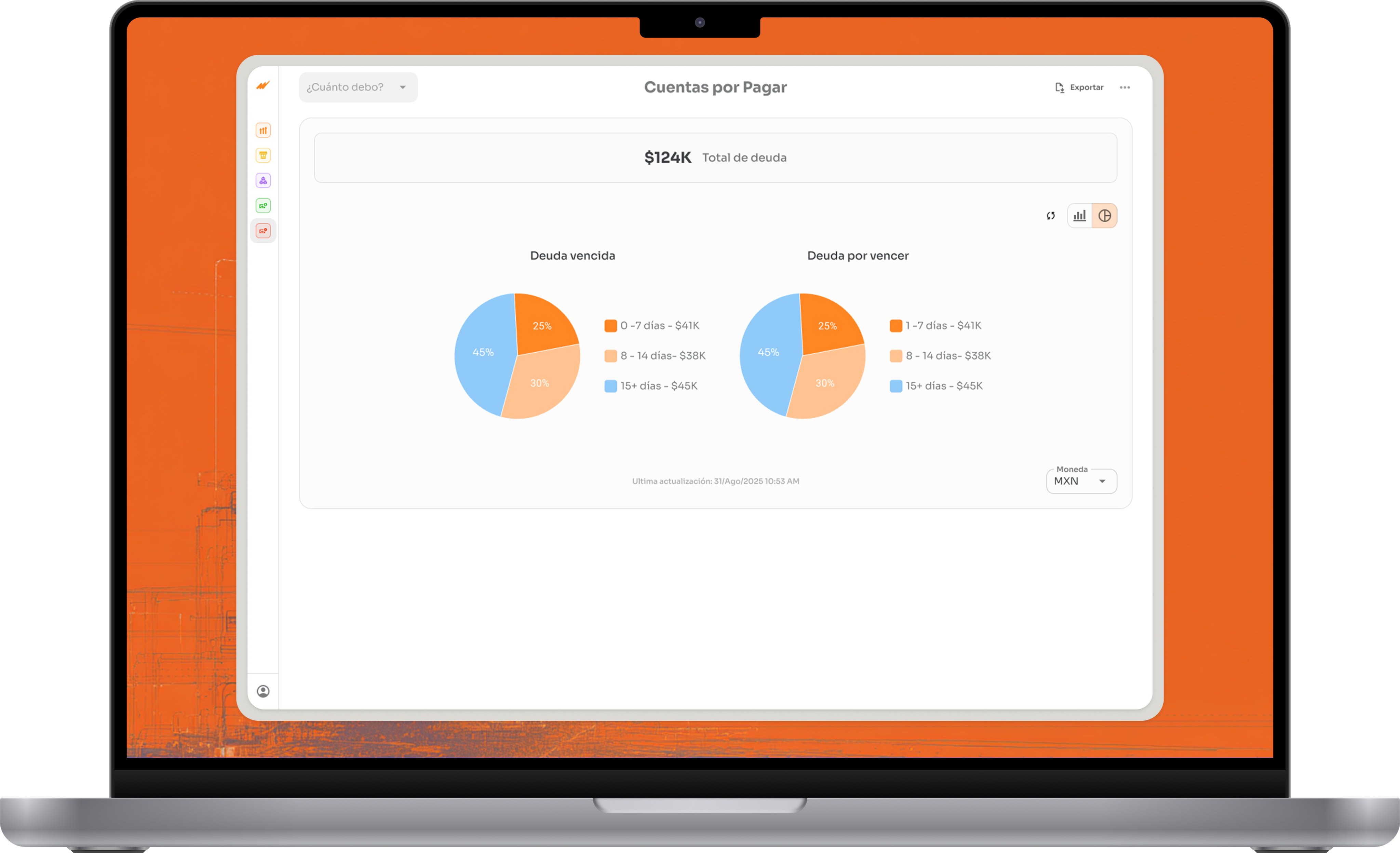
  • How much do I owe customers? (breakdown: overdue/upcoming)
  • How much do I owe suppliers? (breakdown: overdue/upcoming)
  • What's my inventory worth? (trend)
  • Point of Sale: ticket count + average transaction

Why: Research revealed 7 repeating questions. Solving for these 7 = maximum impact.

2. Visual Hierarchy: Important = BIG.

  • BIG. Main metric: 48pt bold
  • Comparison: 18pt gray ("vs. last week: +10%")
  • Small chart: Trend at a glance in 1 second

Why: 3 seconds = decision made. The eye goes where it's biggest.

3. Smart debt breakdown

Who owes me? $150,000

├─ OVERDUE: $20,000 [RED - Act now]

├─ UPCOMING: $130,000 [GRAY - Monitor]

Why: Enables prioritization. "Focus on the $20K overdue" vs. paralysis.

4. Historical comparisons on every card

Current period + "vs. last week: +15%" + mini-chart.

Why: Context = direction. The difference between insight and confusion.

Validation

Interview (Pre-design): Confirmed the 7 critical indicators + need for comparisons.

Testing wireframes (3 SME users): Participants completed key tasks (navigate to specific metrics, interpret comparisons, expand breakdowns) frictionlessly. Unanimous feedback: clear interface and intuitive visual hierarchy. None required additional instructions to understand the flow.

Results

Metric:

Response Time

CHANGE:

90%

Before

15-20 min

After

<2 min

Learnings

Less is more. 7 KPIs = greater adoption than 50 options

Historical context > solo numbers

Disclosed transforms paralysis into prioritization

Progressive disclosure > everything visible

Skills

✓ User Research

✓ Information Architecture

✓ Design Thinking

✓ Wireframing & Prototyping (Figma)

✓ Data Visualization

✓ User Testing

✓ Design Systems

Reflection

This project reinforced that great UX isn't about adding features — it's about ruthless prioritization. Every design decision was driven by a real user need surfaced in research.

The biggest win wasn't the interface itself, but proving that focusing on 7 well-designed KPIs could replace 5 modules and cut decision time by 90%. Simplicity, done right, is a competitive advantage.

KPI Dashboard on MacBook Pro

Let's talk

Whether you have a project in mind or just want to
see if we're a good fit — I'm open.

ANTONIO I.

2026